> ## Documentation Index
> Fetch the complete documentation index at: https://docs.tao.bot/llms.txt
> Use this file to discover all available pages before exploring further.
# Quickstart
> Get set up in minutes. Choose your mode (Native TAO or ETH Entry Gateway), fund, make your first swap, and view your portfolio.
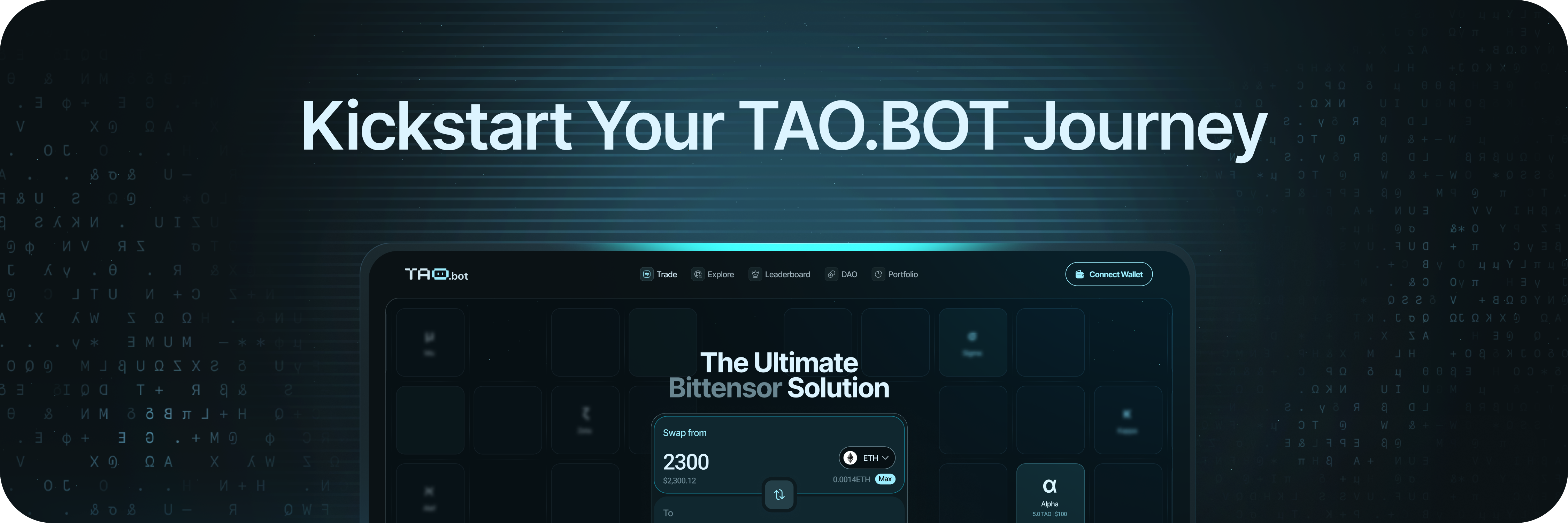 This guide walks you through the fastest path to using **TAO.BOT** — from connecting a wallet to making your first swap, and (optionally) providing liquidity.
* **Time:** \~5–10 minutes
* **You’ll need:** A supported wallet or ETH/USDC/USDT to deposit
***
## 1) Choose your mode
TAO.BOT supports two ways to access Bittensor subnet markets:
### Native TAO Mode (on-chain, self-custody)
* Connect a **native TAO wallet** and sign transactions directly on the Bittensor network.
* Best for users who already hold TAO or want full on-chain control.
### ETH Entry Gateway (hosted balance)
* Deposit **ETH, USDC, or USDT** on Ethereum to access subnet markets via our servers; withdraw anytime.
* Best for ETH-native users who want the quickest on-ramp to subnet tokens.
> Want a deeper comparison? See **[Home → Modes at a glance](/home#modes-at-a-glance)**.
***
## 2) Before you start (checklist)
* ✅ You’re on the official app: **[https://tao.bot](https://tao.bot)**
* ✅ You can receive/sign with your chosen wallet
* ✅ You understand slippage, fees, and confirmations
***
## 3) Connect & fund
### A. Native TAO Mode
1. Open **app.tao.bot** and click **Connect Wallet**.
2. Select your **native TAO wallet** and approve the connection.
3. Ensure your account holds **TAO** for swaps and a small amount for network fees.
You should now see your balances and a network indicator confirming Bittensor.
### B. ETH Entry Gateway
1. Open **app.tao.bot** → **Connect** (Gateway).
2. Choose **Deposit**, select **ETH / USDC / USDT**, and follow the on-screen instructions.
3. Wait for the deposit to confirm; your **Gateway balance** will update.
:::warning
If a deposit is pending longer than expected, check the transaction on Ethereum, then refresh the app. If it still doesn’t appear, contact **[support@tao.bot](mailto:support@tao.bot)** or Telegram support with your tx hash.
:::
***
## 4) Make your first swap
1. Go to **Trade**.
2. In **From**, select your source asset (TAO, ETH/USDC/USDT in Gateway, or an existing subnet token).
3. In **To**, select the subnet token you want (or TAO).
4. Review **quote, route, price impact**, and **fee** details.
5. Set **slippage** and **TTL** (time-to-live) if needed.
6. Click **Swap**, then **Confirm** in your wallet (Native TAO) or confirm in-app (Gateway).
**Done!** You’ll see a confirmation and your balances update. For a deeper walk-through, see **[/using-taobot#trade](/using-taobot#trade)**.
:::tip
Large orders in thinner pools can move the price. If **price impact** looks high, try splitting the trade into smaller chunks.
:::
***
## 5) View your portfolio
Open **Portfolio** to see:
* **Balances:** TAO, subnet tokens, and (if any) LP positions
* **History:** Completed swaps, deposits/withdrawals, and liquidity actions
* **PnL:** Calculated using a sequential cost basis (FIFO — first in, first out), matching sales against the earliest purchases.
More details: **[/using-taobot#portfolio](/using-taobot#portfolio)**.
***
## 6) (Optional) Provide liquidity (Native TAO)
If you’re comfortable with AMMs and impermanent loss (IL), you can add liquidity:
1. Go to **Liquidity** (Native TAO).
2. Select a **pool** (e.g., `TAO / `).
3. Choose your amounts/range and review **share of pool** and **fee capture**.
4. **Add Liquidity**, then confirm.
Learn more: **[/using-taobot#liquidity-native-tao-only](/using-taobot#liquidity-native-tao-only)**.
***
## 7) Withdraw or move funds
* **Native TAO Mode:** Transfer tokens out using your wallet or swap back to TAO first if preferred.
* **ETH Entry Gateway:** Use **Withdraw** to send **ETH/USDC/USDT** back to your Ethereum address.
If a withdrawal stalls, verify the destination address, network status, and any on-screen messages. Keep your tx hash handy for support.
***
## 8) Troubleshooting (quick fixes)
* **Wallet won’t connect (Native TAO):** Unlock your wallet, refresh the app, and retry.
* **Insufficient liquidity:** Reduce size, try a different route, or execute in smaller pieces.
* **Quote changed / Reverted:** Increase slippage slightly or re-quote after a short delay.
* **Deposit not showing (Gateway):** Confirm on Ethereum, then refresh. If still missing, contact **[support@tao.bot](mailto:support@tao.bot)** with the tx hash.
* **High price impact:** Consider routing via **TAO** or splitting the order.
More help: **[/using-taobot#explore-screener](/using-taobot#explore-screener)** and **[/using-taobot#trade](/using-taobot#trade)**.
***
## 9) Next steps
* **Explore Subnets:** **[/using-tabot#explore-screener](/using-taobot#explore-screener)**
* **Advanced Trading Tips:** **[/using-taobot#trade](/using-taobot#trade)**
* **LP Strategies:** **[/using-taobot#liquidity-native-tao-only](/using-taobot#liquidity-native-tao-only)**
* **Track Everything:** **[/using-taobot#portfolio](/using-taobot#portfolio)**
This guide walks you through the fastest path to using **TAO.BOT** — from connecting a wallet to making your first swap, and (optionally) providing liquidity.
* **Time:** \~5–10 minutes
* **You’ll need:** A supported wallet or ETH/USDC/USDT to deposit
***
## 1) Choose your mode
TAO.BOT supports two ways to access Bittensor subnet markets:
### Native TAO Mode (on-chain, self-custody)
* Connect a **native TAO wallet** and sign transactions directly on the Bittensor network.
* Best for users who already hold TAO or want full on-chain control.
### ETH Entry Gateway (hosted balance)
* Deposit **ETH, USDC, or USDT** on Ethereum to access subnet markets via our servers; withdraw anytime.
* Best for ETH-native users who want the quickest on-ramp to subnet tokens.
> Want a deeper comparison? See **[Home → Modes at a glance](/home#modes-at-a-glance)**.
***
## 2) Before you start (checklist)
* ✅ You’re on the official app: **[https://tao.bot](https://tao.bot)**
* ✅ You can receive/sign with your chosen wallet
* ✅ You understand slippage, fees, and confirmations
***
## 3) Connect & fund
### A. Native TAO Mode
1. Open **app.tao.bot** and click **Connect Wallet**.
2. Select your **native TAO wallet** and approve the connection.
3. Ensure your account holds **TAO** for swaps and a small amount for network fees.
You should now see your balances and a network indicator confirming Bittensor.
### B. ETH Entry Gateway
1. Open **app.tao.bot** → **Connect** (Gateway).
2. Choose **Deposit**, select **ETH / USDC / USDT**, and follow the on-screen instructions.
3. Wait for the deposit to confirm; your **Gateway balance** will update.
:::warning
If a deposit is pending longer than expected, check the transaction on Ethereum, then refresh the app. If it still doesn’t appear, contact **[support@tao.bot](mailto:support@tao.bot)** or Telegram support with your tx hash.
:::
***
## 4) Make your first swap
1. Go to **Trade**.
2. In **From**, select your source asset (TAO, ETH/USDC/USDT in Gateway, or an existing subnet token).
3. In **To**, select the subnet token you want (or TAO).
4. Review **quote, route, price impact**, and **fee** details.
5. Set **slippage** and **TTL** (time-to-live) if needed.
6. Click **Swap**, then **Confirm** in your wallet (Native TAO) or confirm in-app (Gateway).
**Done!** You’ll see a confirmation and your balances update. For a deeper walk-through, see **[/using-taobot#trade](/using-taobot#trade)**.
:::tip
Large orders in thinner pools can move the price. If **price impact** looks high, try splitting the trade into smaller chunks.
:::
***
## 5) View your portfolio
Open **Portfolio** to see:
* **Balances:** TAO, subnet tokens, and (if any) LP positions
* **History:** Completed swaps, deposits/withdrawals, and liquidity actions
* **PnL:** Calculated using a sequential cost basis (FIFO — first in, first out), matching sales against the earliest purchases.
More details: **[/using-taobot#portfolio](/using-taobot#portfolio)**.
***
## 6) (Optional) Provide liquidity (Native TAO)
If you’re comfortable with AMMs and impermanent loss (IL), you can add liquidity:
1. Go to **Liquidity** (Native TAO).
2. Select a **pool** (e.g., `TAO / `).
3. Choose your amounts/range and review **share of pool** and **fee capture**.
4. **Add Liquidity**, then confirm.
Learn more: **[/using-taobot#liquidity-native-tao-only](/using-taobot#liquidity-native-tao-only)**.
***
## 7) Withdraw or move funds
* **Native TAO Mode:** Transfer tokens out using your wallet or swap back to TAO first if preferred.
* **ETH Entry Gateway:** Use **Withdraw** to send **ETH/USDC/USDT** back to your Ethereum address.
If a withdrawal stalls, verify the destination address, network status, and any on-screen messages. Keep your tx hash handy for support.
***
## 8) Troubleshooting (quick fixes)
* **Wallet won’t connect (Native TAO):** Unlock your wallet, refresh the app, and retry.
* **Insufficient liquidity:** Reduce size, try a different route, or execute in smaller pieces.
* **Quote changed / Reverted:** Increase slippage slightly or re-quote after a short delay.
* **Deposit not showing (Gateway):** Confirm on Ethereum, then refresh. If still missing, contact **[support@tao.bot](mailto:support@tao.bot)** with the tx hash.
* **High price impact:** Consider routing via **TAO** or splitting the order.
More help: **[/using-taobot#explore-screener](/using-taobot#explore-screener)** and **[/using-taobot#trade](/using-taobot#trade)**.
***
## 9) Next steps
* **Explore Subnets:** **[/using-tabot#explore-screener](/using-taobot#explore-screener)**
* **Advanced Trading Tips:** **[/using-taobot#trade](/using-taobot#trade)**
* **LP Strategies:** **[/using-taobot#liquidity-native-tao-only](/using-taobot#liquidity-native-tao-only)**
* **Track Everything:** **[/using-taobot#portfolio](/using-taobot#portfolio)**